
What WCAG is and which businesses have to comply

What Is WCAG?
Web Content Accessibility Guidelines (WCAG) explain how to make web content more accessible to people with disabilities. It is developed through the W3C process in cooperation with individuals and organizations around the world. In WCAG documents, web “content” generally refers to the information in a web page or web application, including:
- natural information such as text, images, and sounds
- code or markup that defines structure, presentation, etc.
Which businesses should comply?
Regulations vary depending on the requirements of the country, territory or province.
For Example, In Ontario: By law, you must make new, significantly refreshed public websites accessible if your organization is:
- a private or non-profit organization with 50+ employees; or
- a public sector organization
The organization controlling the website must meet accessibility requirements.
Compliance deadline in Ontario:
- Beginning January 1, 2014: new public websites, significantly refreshed websites, and any web content posted after January 1, 2012 must meet Web Content Accessibility Guidelines (WCAG) 2.0 Level A
- Beginning January 1, 2021: all public websites and web content posted after January 1, 2012 must meet WCAG 2.0 Level AA other than criteria 1.2.4 (live captions) and 1.2.5 (pre-recorded audio descriptions)
The three conformance levels: A, AA and AAA
In order to meet the needs of different groups and different situations, three levels of conformance are defined: A (lowest), AA, and AAA (highest).
Level A: For Level A conformance (the minimum level of conformance), the Web page satisfies all the Level A Success Criteria, or a conforming alternate version is provided.
Level AA: For Level AA conformance, the Web page satisfies all the Level A and Level AA Success Criteria, or a Level AA conforming alternate version is provided.
Level AAA: For Level AAA conformance, the Web page satisfies all the Level A, Level AA and Level AAA Success Criteria, or a Level AAA conforming alternate version is provided.
Level A: the minimum, guideline by guideline
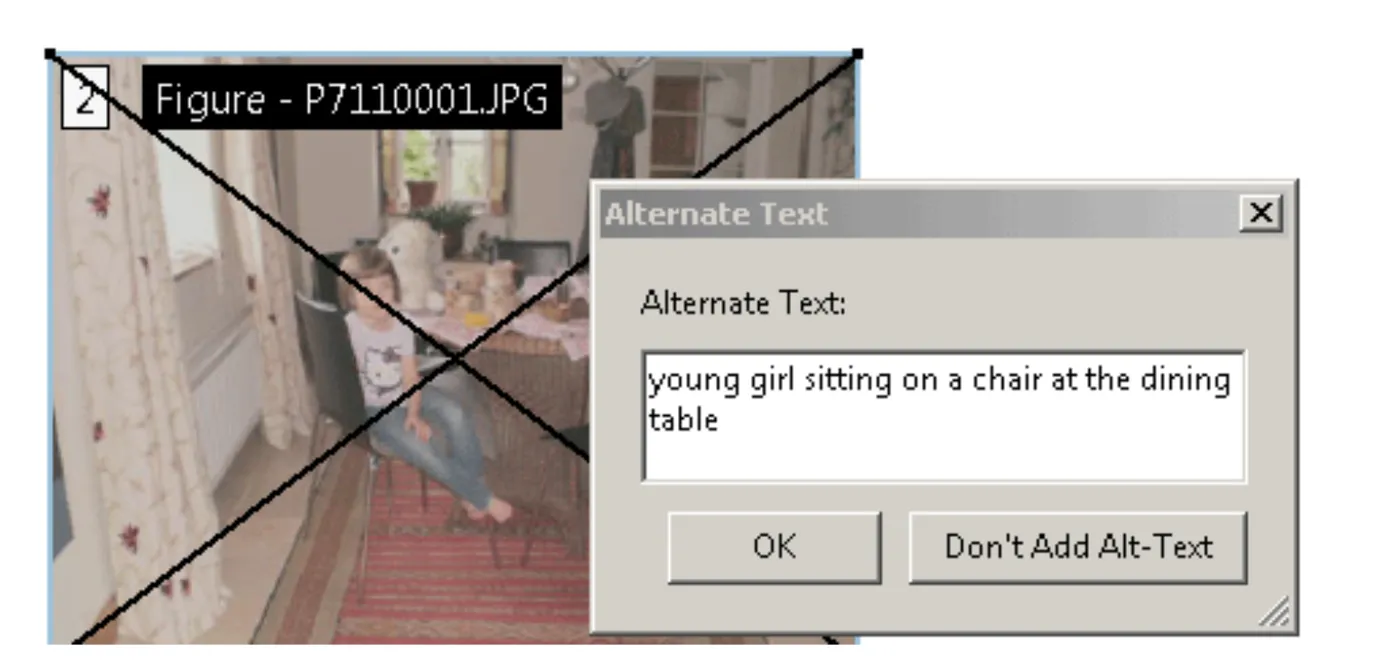
Guideline 1.1: Provide text alternatives for non-text content
Guideline 1.2: Provide alternatives for time-based media
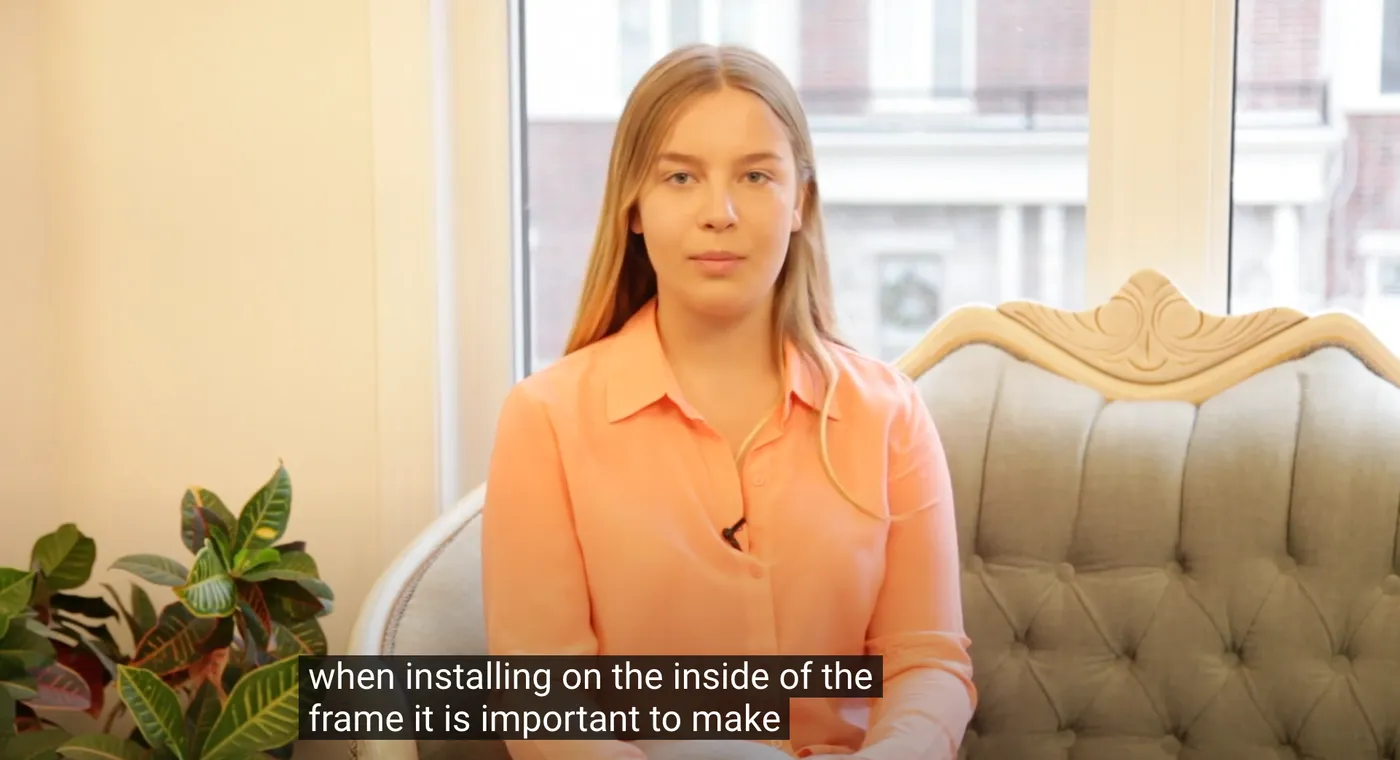
- A captioned tutorialA video clip shows how to tie a knot. The captions read,”(music)Using rope to tie knots was an important skill for the likes of sailors, soldiers and woodsmen..”From Sample Transcript Formatting by Whit Anderson.
- A complex legal document contains synchronized media clips for different paragraphs that show a person speaking the contents of the paragraph. Each clip is associated with its corresponding paragraph. No captions are provided for the synchronized media.
- An instruction manual containing a description of a part and its necessary orientation is accompanied by a synchronized media clip showing the part in its correct orientation. No captions are provided for the synchronized media clip.
- An orchestra provides captions for videos of performances. In addition to capturing dialog and lyrics verbatim, captions identify non-vocal music by title, movement, composer, and any information that will help the user comprehend the nature of the audio. For instance captions read,”[Orchestral Suite No. 3.2 in D major, BWV 1068, Air]
[Johann Sebastian Bach, Composer]♪ Calm melody with a slow tempo ♪”
Guideline 1.3: Adaptable content
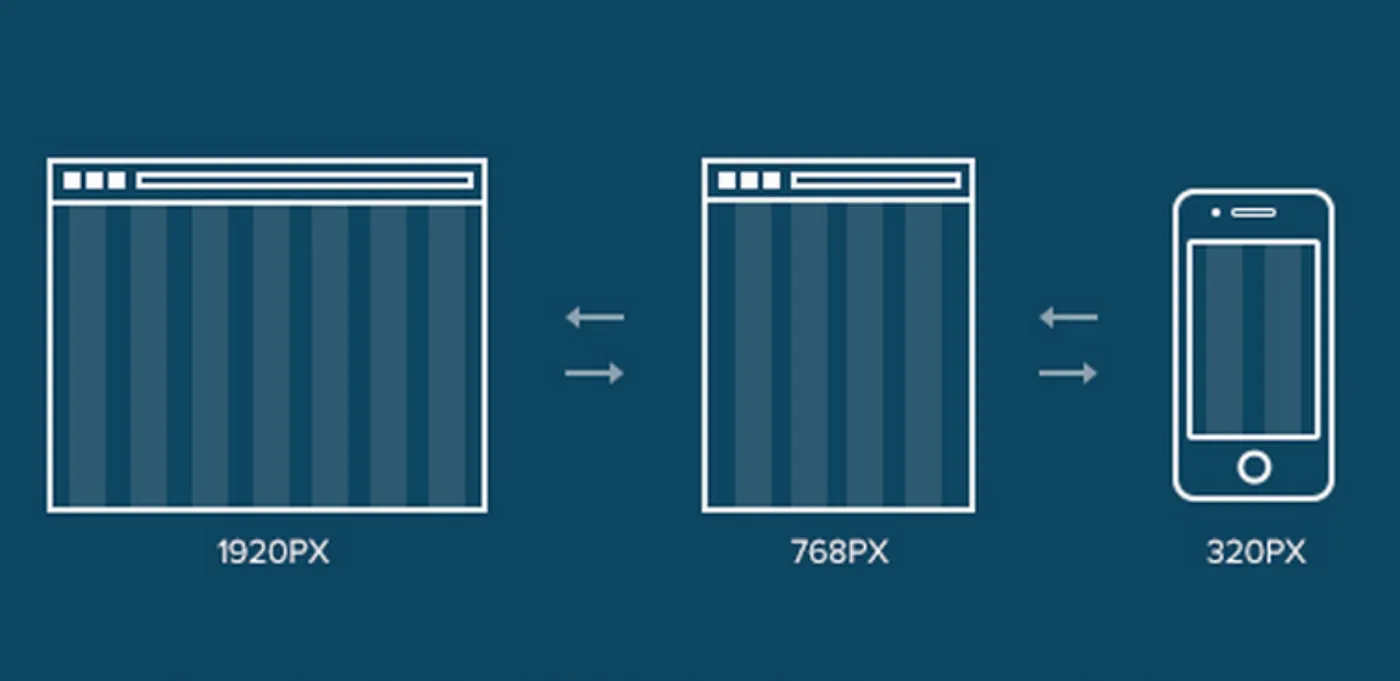 The purpose of this guideline is to ensure that all information is available in a form that can be perceived by all users, for example, spoken aloud, or presented in a simpler visual layout. If all of the information is available in a form that can be determined by software, then it can be presented to users in different ways (visually, audibly, tactilely etc.). If information is embedded in a particular presentation in such a way that the structure and information cannot be programmatically determined by the assistive technology, then it cannot be rendered in other formats as needed by the user.
The Success Criteria under this guideline all seek to ensure that different types of information that are often encoded in presentation are also available so that they can be presented in other modalities.
- structure: the way the parts of a Web page are organized in relation to each other; and the way a collection of Web pages is organized
- presentation: rendering of the content in a form that can be perceived by users
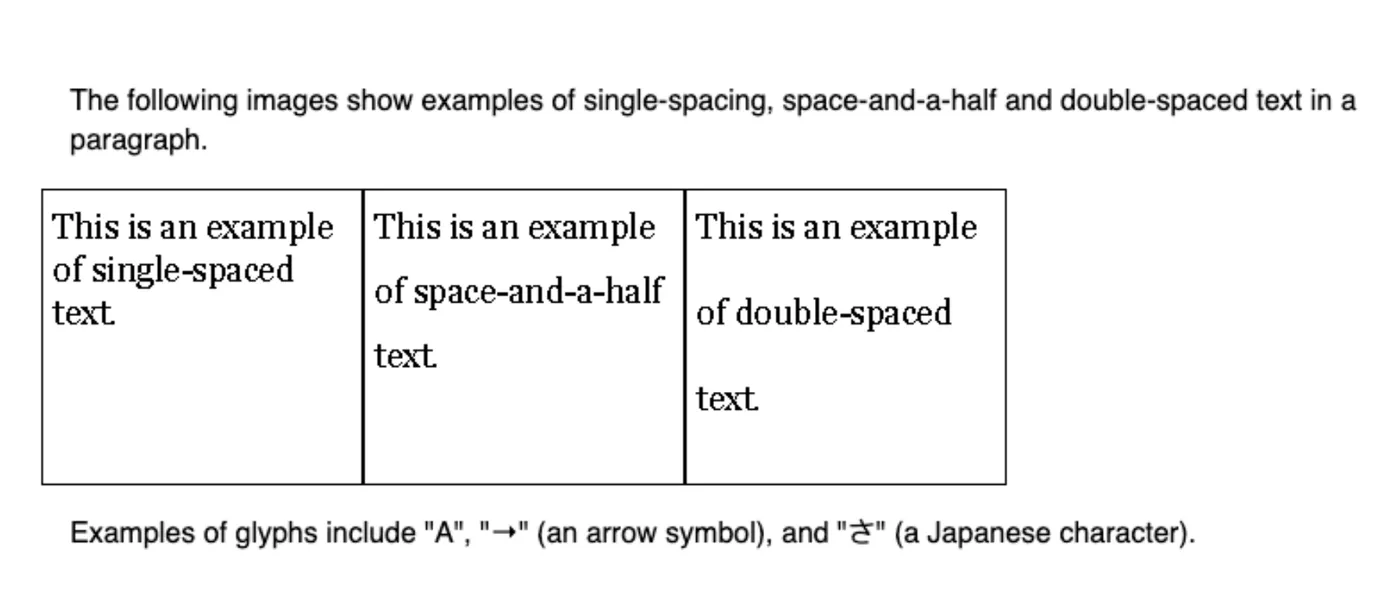
Guideline 1.4: Distinguishable content
Guideline 2.1: Keyboard accessible
- Example 1: A drawing Program.
A drawing program allows users to create, size, position and rotate objects from the keyboard.
- Example 2: A drag and Drop Feature.
An application that uses drag and drop also supports “cut” and “paste” or form controls to move objects.
- Example 3: Moving between and connecting discrete points.
A connect-the-dots program allows the user to move between dots on a screen and use the spacebar to connect the current dot to the previous one.
- Example 4: Exception – Painting Program.
A watercolor painting program passes as an exception because the brush strokes vary depending on the speed and duration of the movements.
- Example 5: Exception – Model helicopter flight training simulator.
A model helicopter flight training simulator passes as an exception because the nature of the simulator is to teach real-time behavior of a model helicopter.
- Example 6: A PDA with an optional keyboard
A PDA device that is usually operated via a stylus has an optional keyboard that can be attached. The keyboard allows full Web browsing in standard fashion. The Web content is operable because it was designed to work with keyboard-only access.
Guideline 2.2: Provide users enough time to read and use content
-
- A Web site uses a client side time limit to help protect users who may step away from their computer. After a period of inactivity the Web page asks if the user needs more time. If it doesn’t get a response – it times out.
- A Web page has a field that automatically updates with the latest headlines in a rotating fashion. There is an interactive control that allows the user to extend the length of time between each update to as much as ten times the default. The control can be operated with either a mouse or a keyboard.
- An essential animation can be paused without affecting the activity
A Website helps users understand ‘how things work’ through animations that demonstrate processes. Animations have “pause” and “restart” buttons. - A stock ticker
A stock ticker has “pause” and “restart” buttons. Pausing the ticker causes it to pause on the currently displayed stock. Restarting causes the ticker to resume from the stopped point but with a notice that the display is delayed. Since the intent of the stock ticker is usually to provide real time information, there might also be a button that would advance the ticker to the most recently traded stock. - A test is designed so that time to complete the test does not affect the scoring
Rather than calibrating an on-line test using a time limit, the test is calibrated based on scores when users have no time limits. - A game is designed so that users take turns rather than competing in real-time
One party can pause the game without invalidating the competitive aspect of it.
-
Example 1. Setting user preferences
The preferences page of a Web portal includes an option to postpone all updates and alerts until the end of the current session, except for alerts concerning emergencies.
Guideline 2.3: Don’t design content in a way that is known to cause seizures
- A Web site has video of muzzle flash of machine gun fire, but limits the size of the flashing image to a small portion of the screen below the flash threshold size.
- A movie with a scene involving very bright lightning flashes is edited so that the lightning only flashes three times in any one second period.
- Ensuring that content does not violate spatial pattern thresholds.
Guideline 2.4: Navigable content
- Limiting the number of links per page
- Providing mechanisms to navigate to different sections of the content of a Web page
- Making links visually distinct
- Highlighting search terms
Guideline 3.1: Readable text content
- Setting expectations about content in the page from uncontrolled sources
- Providing sign language interpretation for all content
- Using the clearest and simplest language appropriate for the content
- Avoiding centrally aligned text
- Avoiding text that is fully justified (to both left and right margins) in a way that causes poor spacing between words or characters
- Using left-justified text for languages that are written left to right and right-justified text for languages that are written right-to-left
- Limiting text column width
- Avoiding chunks of italic text
- Avoiding overuse of different styles on individual pages and in sites
- Making links visually distinct
- Using images, illustrations, video, audio, or symbols to clarify meaning
- Providing practical examples to clarify content
- Using a light pastel background rather than a white background behind black text
- Avoiding the use of unique interface controls unnecessarilyUsing upper and lower case according to the spelling rules of the text language
- Avoiding unusual foreign words
- Providing sign language versions of information, ideas, and processes that must be understood in order to use the content
- Making any reference to a location in a Web page into a link to that location
- Making references to a heading or title include the full text of the title
- Providing easy-to-read versions of basic information about a set of Web pages, including information about how to contact the Webmaster
- Providing a sign language version of basic information about a set of Web pages, including information about how to contact the Webmaster
Guideline 3.2: Predictable web pages
Positioning labels to maximize predictability of relationships
Guideline 3.3: Input assistance
Hiding optional form fields
Guideline 4.1: Compatible
- Avoiding deprecated features of W3C technologies.
- Not displaying content that relies on technologies that are not accessibility-supported when the technology is turned off or not supported.
Level AA: the level the law refers to
Level AA adds more advanced requirements under these guidelines:
Guideline 1.4: Distinguishable content
Guideline 2.4: Navigable content
Guideline 3.1: Readable text content
Guideline 3.2: Predictable web pages
Guideline 3.3: Input assistance
How we audit and fix a website
- The New Design Group Website Accessibility Audit applies the following methods to identify and remedy accessibility challenges:
- Variety of automated tools that can identify many areas of accessibility improvement.
- Expert technical reviewers, knowledgeable in web design technologies and accessibility, review a representative selection of pages. They provide detailed feedback and advice based on their findings.
- User testing, usually overseen by technical experts, involves setting tasks for ordinary users to carry out on the website, and reviewing any problems these users encounter as they address the tasks.
Each method has its own strengths and weaknesses.
That’s why New Design Group Inc. uses a combination of methods to assess the accessibility of a website.
- Remediating your website.
After we conduct a full accessibility audit and identify accessibility errors, we remediate the errors to ensure the site is compliant. The traditional way of correcting an inaccessible site is to go back into the source code, reprogram the error, then test to make sure the bug is fixed. If the website is not scheduled to be revised soon, that error (and others) would remain on the site for a lengthy period of time, possibly violating accessibility guidelines. Because this is a complicated process, many website owners choose to build accessibility into a new site design or re-launch, as it can be more efficient to develop the site to comply with accessibility guidelines, rather than correct errors later.
With the progress in AI technology, web accessibility has improved. With third-party add-ons that leverage AI and Machine Learning, it is possible to offer changes to the website design without altering the source code, however this method doesn’t allow a website to be fully accessible (level AA or AAA).
New Design Group Inc. offers complete solutions that combine AI methods with the traditional way of manually correcting an inaccessible website by editing the source code.