
There is no search engine that takes a video and tells you where it came from. A reverse video search is a reverse image search on a frame of the video, and once you know that, finding the source of almost any clip takes a minute.
Why there is no real reverse video search
Search engines index text well and images reasonably. Video they index mostly through the text around it: the title, the description, the captions, the words people say in it.
That is why you cannot drop a clip into a search box. The engine would have to compare it against every video on the web frame by frame, and nobody offers that to the public. What every tool offers instead, whatever it calls itself, is a search on a single frame.
So the skill is choosing the frame.
The one-minute method
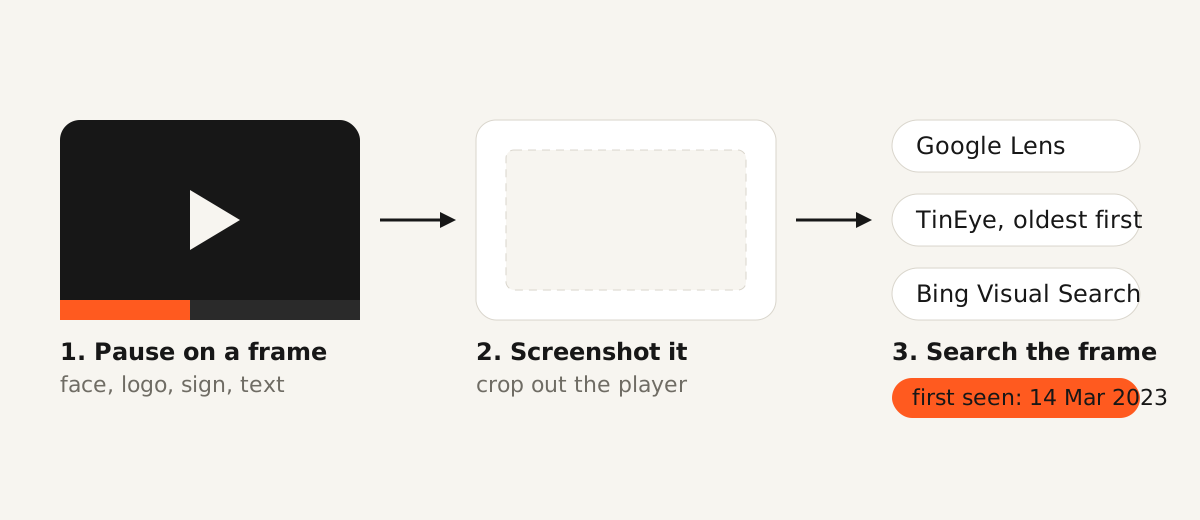
Pause the video on the most distinctive frame you can find. A face, a logo, a street sign, a product with its label in view, a line of on-screen text. A frame of sky or a plain wall will match ten thousand things.
Take a screenshot. On a phone, use the screenshot shortcut; on a desktop, any screenshot tool, cropped to the frame without the player’s own controls.
Search that image in three places, in this order:
| Tool | How | Best for |
|---|---|---|
| Google Lens | Google Images on desktop, or the Lens icon in the Google app | The widest index; finds the page the video sits on, product pages, news articles |
| TinEye | Upload the frame at tineye.com, sort by oldest | Dating the earliest copy, which is usually the original |
| Bing Visual Search | Camera icon in the Bing search box | A third opinion when the first two disagree |
If the clip shows a watermark, a handle or a caption, search that text in quotes before you search the frame. A handle in the corner is a faster route to the source than any image match.
On an Android phone, the Google app can search a video while it plays: open Lens, tap the video option, and point it at the screen or hold it on a clip playing in another app (Google, 2024). It sends frames to the same image search, so the frame rule still applies.
Finding the source on YouTube and social platforms
YouTube does not accept an uploaded clip as a query, so search the way its index works. Pick a distinctive sentence someone says in the video, search it in quotes, and filter results by upload date, oldest first.
On a YouTube Short in the mobile app, Google Lens can search what is on screen directly (YouTube, 2026). On TikTok and Instagram the same frame-screenshot method applies, with one extra step: both platforms stamp the creator’s handle on downloaded clips, and that handle is the search.
What a business actually uses this for
Three situations come up in our work, and none of them is about curiosity.
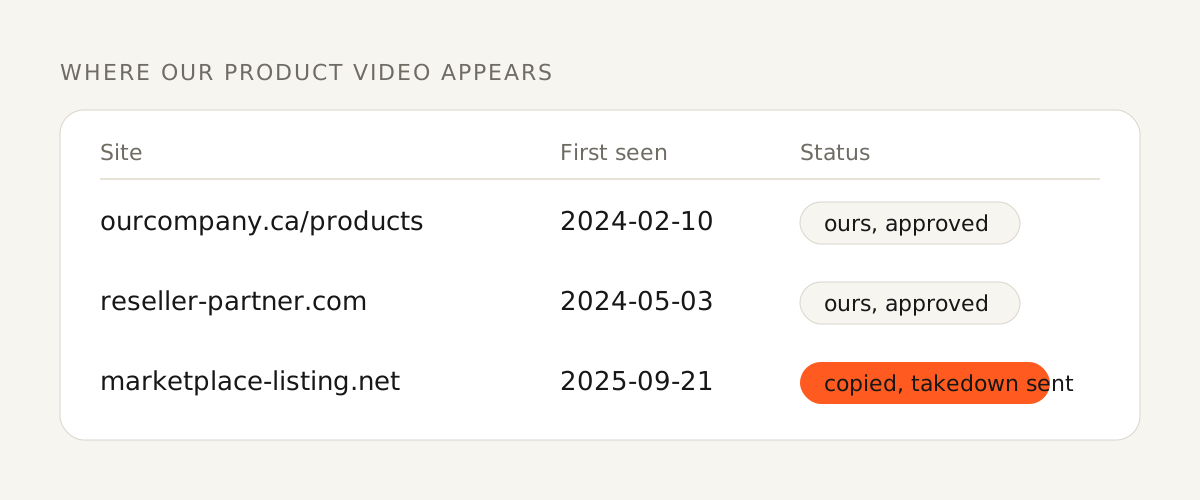
The first is a product video that turns up on a reseller’s site, a competitor’s page or a marketplace listing you never approved. Three frames with your product in view, searched in Lens and TinEye, give you the list of sites. Copies re-uploaded to YouTube show up through a text search of the script, and YouTube’s Copyright Match tool flags re-uploads of a video you published first.
The second is footage a supplier or a freelancer hands you as their own. A frame search tells you whether it has appeared elsewhere, and under whose name, before it goes on your website with your logo on it.
The third is credit. If you want to post a clip in your company’s feed, the frame search finds the creator in a minute, and asking is cheaper than the takedown later.
What does not work
Frame search fails on footage that has been cropped hard, mirrored, filtered or re-encoded until the pixels no longer match, which is what people do to clips they are hiding. It also fails on a frame that is generic.
When the image route fails, go back to text: the audio, the caption, the on-screen names. A video with a voice in it has a script, and a script is searchable.